Giving Mosaic: Reveal the Picture, One Gift at a Time
12 min read · 2026-09-05
Opens the setup form. Sign in as an organization administrator, open an existing campaign or create a new one, then create Giving Mosaic from the campaign’s Mechanics tab.
Every Gift Reveals Part of the Whole
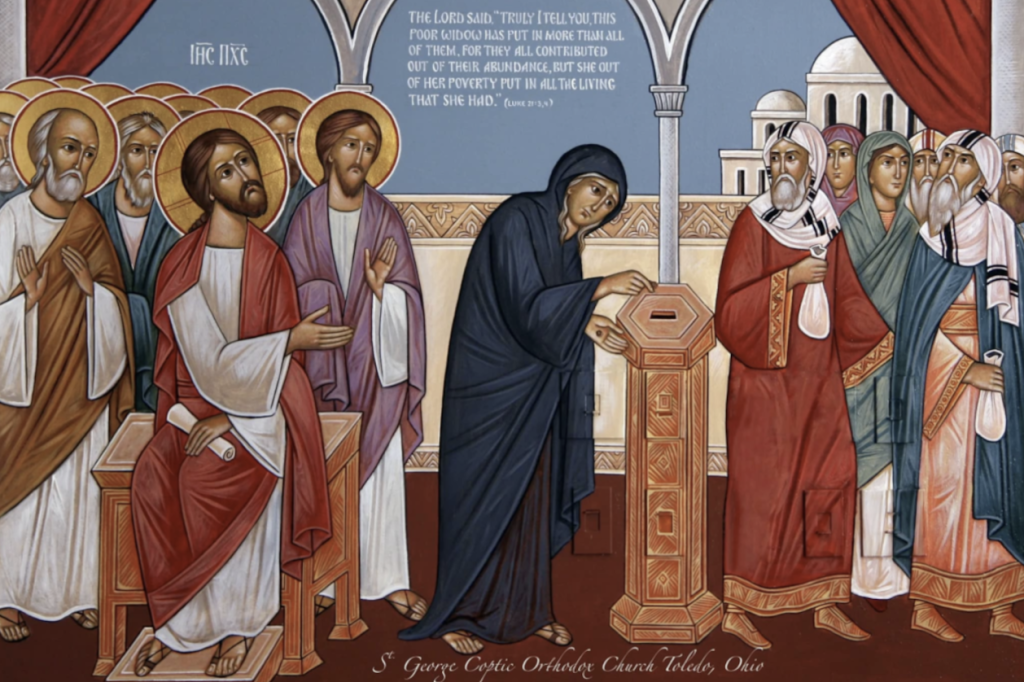
“This poor widow has put in more than all those who have given to the treasury.” — Mark 12:43
Christ was seated near the Temple treasury when He saw many wealthy people place large gifts into it. Then a poor widow approached and offered two small coins. Her contribution appeared almost insignificant beside the others, yet the Lord called His disciples and taught them to see it differently. God does not judge generosity by the size of a number alone. He sees the sacrifice, trust, and love within the gift.
That Gospel lesson gives Giving Mosaic its simplest meaning. A parish project may require thousands of dollars, while one person may be able to offer only ten, twenty-five, or fifty. On an ordinary donation page, that contribution can feel like a drop in the bucket. In a Giving Mosaic, the result becomes visible: one gift opens one part of the picture. Many modest offerings gradually reveal the whole.
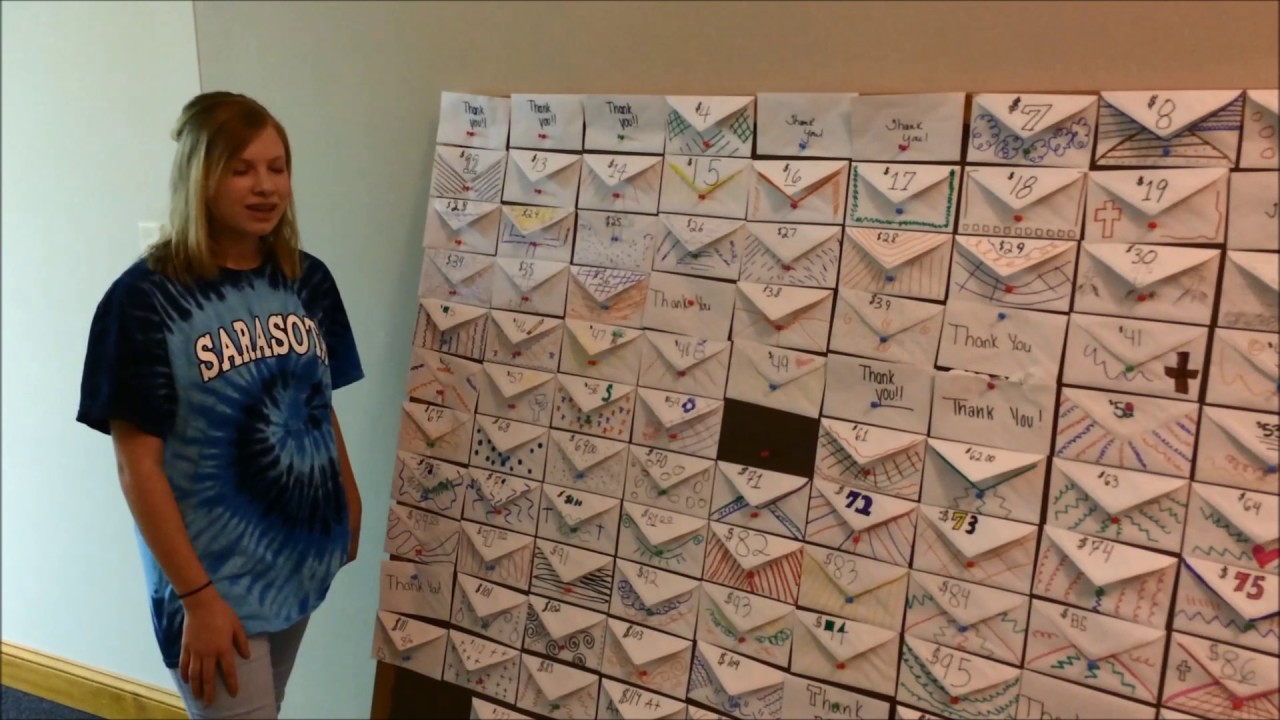
Your parish or organization begins with an image and divides it into a finite number of pieces. A supporter chooses an available tile, makes the stated gift, and sees that part of the image open after payment is confirmed. The same principle can be presented as a board of numbered envelopes. Each person selects a number, contributes the corresponding amount, and helps complete the board.
There is no prize, drawing, or lucky number. No one wins at another person’s expense. The satisfaction comes from seeing a shared work advance and knowing that one visible part of it was made possible through your gift.
What Is Giving Mosaic?
Giving Mosaic is a visual fundraising mechanic connected to one of your organization’s existing campaigns. It creates a separate public page where a large need is divided into smaller, understandable gifts.
The administrator chooses one of three experiences:
Photo Mosaic gradually reveals one hidden photograph, rendering, or work of art. It is well suited to a proposed church, parish center, iconostasis, ministry program, or other project with a strong visual identity.
Before & After begins with a photograph of the present condition. Each completed gift replaces one section of that photograph with the corresponding part of the proposed result. An aging parish hall can gradually become its renovated design; an unfinished interior can be transformed piece by piece into the completed vision.
100 Envelopes displays a board of numbered envelopes. In the classic version, Envelope 1 represents a $1 gift, Envelope 25 represents $25, and Envelope 100 represents $100. When all one hundred envelopes are completed, the challenge raises $5,050.
The system tracks available, reserved, pending, and completed elements. It prevents two people from claiming the same piece at the same time, updates the parent campaign after payment is confirmed, and keeps online and recorded offline gifts in one accurate total.
Why the Mechanic Works
A large fundraising goal can feel distant. A mosaic turns it into a series of actions that people can understand immediately. Instead of asking, “What difference can my gift make?” the page shows the answer.
The donor has a genuine choice. One person may select a small envelope; another may reveal several tiles; a family may complete a larger piece together. Every amount is visible before checkout, so participation remains voluntary and comfortable.
Progress is also easier to follow. An ordinary percentage bar is useful, but it remains abstract. A picture that changes after each gift makes the project tangible. As the remaining gaps become fewer, supporters can see that completion is within reach.
The mechanic is especially effective when the picture represents the actual result being funded. A clear Before & After transformation connects the act of giving with a concrete purpose: repairing a roof, restoring a parish hall, completing an iconostasis, creating an accessible entrance, or building a place where the community can gather.
Choosing the Right Experience
Photo Mosaic
Choose Photo Mosaic when one beautiful image can represent the purpose of the campaign. The picture may be an architectural rendering, a photograph of the parish community, a proposed mural, or another meaningful result.
All tiles should normally have the same amount. For example, one hundred tiles at $50 each create a $5,000 challenge. A supporter may select one piece or several, and every confirmed tile reveals an equal part of the image.
If sacred art is used, obtain the blessing or approval appropriate to your parish. The image and animation must remain dignified. Avoid effects that make an icon resemble a puzzle, scratch card, or game prize.
Before & After
Choose Before & After for construction, repair, accessibility, and restoration campaigns. It gives the donor the clearest possible connection between the present need and the hoped-for result.
Use two images with the same proportions and, whenever possible, the same viewpoint. The creation screen allows the administrator to crop, move, scale, and compare them. Proper alignment makes the transformation feel natural when each new section appears.
The After image must be identified honestly. If it is an architectural rendering, label it Proposed Design or Project Visualization. When the work is finished, the administrator can add a real completion photograph, allowing donors to compare the original condition, the proposal, and the final result.
100 Envelopes
Choose 100 Envelopes when your parish wants the simplest challenge and a wide range of giving levels. Each number appears only once, and the donor chooses the amount openly.
The traditional board runs from $1 to $100 and totals $5,050. The challenge may also use another range or a smaller number of envelopes. The system calculates the total automatically before publication.
Do not hide or randomize the amount. A supporter should always know the value of an envelope before continuing with the gift.
Setting the Right Number of Pieces
How it works
Choose an envelope, make the stated gift, and watch the shared vision come into view—one completed piece at a time.
Taking the Challenge into the Parish Hall
Giving Mosaic can work online and in person at the same time. From the administrator dashboard, download the printable envelope board and place it in the parish hall, community center, or another location where the organization has permission to display it.
A general QR code opens the challenge page. Individual QR codes may open a particular envelope or tile. If that element has already been completed, the visitor sees nearby available alternatives rather than reaching a dead end.
Cash and check gifts can also be recorded by an authorized administrator. Once an offline gift is entered and assigned to an element, the public page updates. This keeps the physical display and the online challenge from becoming two competing records.
For high-number envelopes, invite a family, Sunday school class, youth group, brotherhood, sisterhood, or local business to complete the amount together. Group funding should be explained as cooperation, not competition.
Keeping the Momentum Going
Do not post the same appeal every week. Share the changing picture.
At 25 percent, thank the first participants and show what has appeared. At halfway, publish the developing Before & After image. When only ten pieces remain, name the remaining need clearly. Near completion, emphasize what is still possible: “Only $175 and four pieces remain.”
The administrator dashboard can provide milestone messages and updated social images. A fresh image gives parishioners a reason to share the same link again because the story has visibly moved forward.
The final reveal should become a parish moment. Announce it after services, publish it in the newsletter, and thank everyone who participated. If the funded work will take time, continue posting project updates. When construction or restoration is finished, add the real After photograph so that the mosaic becomes part of the campaign’s report.
Sharing Beyond the Parish
The mechanic is easy to understand even for someone who has never visited your church. Use that simplicity to reach former parishioners, relatives, neighbors, local cultural groups, nearby businesses, community organizations, and friends in other cities.
Ready to begin?
Opens the setup form. Sign in as an organization administrator, open an existing campaign or create a new one, then create Giving Mosaic from the campaign’s Mechanics tab.